
[![npm version](https://badge.fury.io/js/material-scrolltop.svg)](https://badge.fury.io/js/material-scrolltop)
[![Join the chat at https://gitter.im/material-scrolltop/Lobby](https://badges.gitter.im/material-scrolltop/Lobby.svg)](https://gitter.im/material-scrolltop/Lobby?utm_source=badge&utm_medium=badge&utm_campaign=pr-badge&utm_content=badge)
![](https://github.com/bartholomej/material-scrolltop/workflows/Build%20&%20Publish/badge.svg)
[![volkswagen status](https://auchenberg.github.io/volkswagen/volkswargen_ci.svg?v=1)](https://github.com/auchenberg/volkswagen)

# Material ScrollTop Button

_[Upgrade instructions 1.x → 2.x](#upgrade-instructions)_

Lightweight, **Material Design inspired button for scroll-to-top** of the page (jQuery plugin).

Just hit the button to smoothly scroll back to the top of the page. [Here's the demo.](https://bartholomej.github.io/material-scrolltop/)

- Lightweight
- Material Design inspired
- With ripple effect
- Smoothly animated
- [Customizable](#customization)
- With some useful [options](#settings)...
- jQuery + CSS, (TypeScript + SCSS)
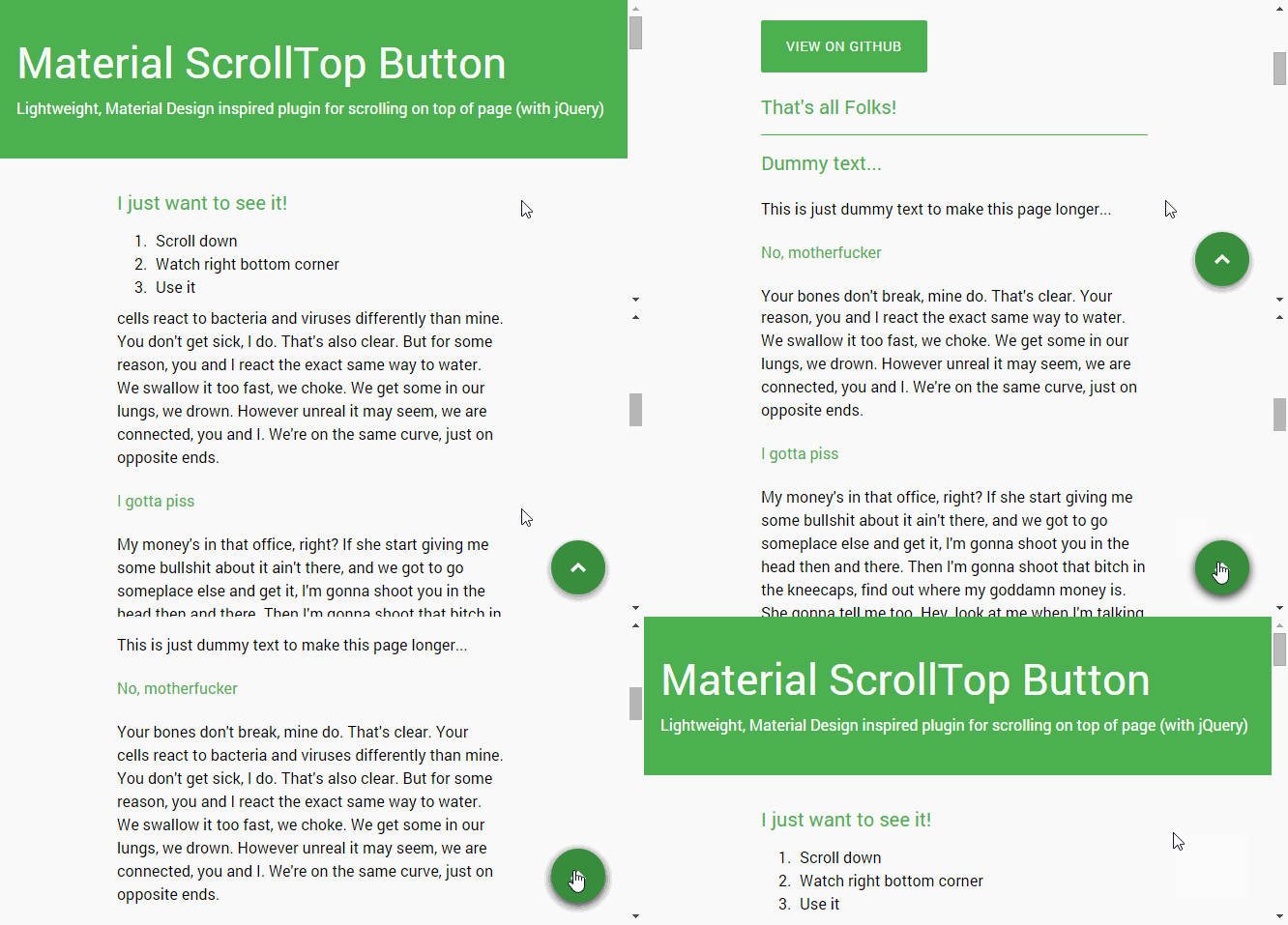
![Demo animation](https://github.com/bartholomej/material-scrollTop/blob/master/demo/images/material-scrolltop-animation.gif?raw=true)

## Demo (example)

Watch this: [https://bartholomej.github.io/material-scrolltop/](https://bartholomej.github.io/material-scrolltop/)

## Install

Via **yarn** or **npm**

```bash
yarn add material-scrolltop
```

### Manual install (download)

If you want the latest stable version, get the [latest release](https://github.com/bartholomej/material-scrollTop/releases/latest) from the releases page and use `dist` folder.

## Usage

Include the files as shown in the code snippets below and you're done.

NOTE: The only dependency for this plugin to work is **jQuery library** (don't forget!)

In your `<head>` add:

```html
<!-- Material ScrollTop stylesheet -->
<link rel="stylesheet" href="dist/material-scrolltop.css" />

<!-- material-scrolltop plugin -->
<script src="dist/material-scrolltop.js"></script>
```

Then, before your closing `</body>` tag add:

```html
<!-- material-scrolltop button -->
<button class="material-scrolltop" type="button"></button>

<!-- Initialize material-scrolltop (minimal) -->
<script>
  $('body').materialScrollTop();
</script>
```

## Settings

| Option         | Type       | Default | Description                                                          |
| -------------- | ---------- | ------- | -------------------------------------------------------------------- |
| revealElement  | string     | body    | Reveal button when scrolling over specific element                   |
| revealPosition | string     | top     | Element position for reveal button (`'top'` or `'bottom'`)           |
| padding        | number     | 0       | Adjusts little ups and downs in scrolling (can be negative number)   |
| duration       | number     | 600     | Determining how long the animation will run                          |
| easing         | string     | 'swing' | Indicating which easing function to use for the transition animate() |
| onScrollEnd    | Function() | false   | A function to call once the animation is complete                    |

### Example (advanced usage)

```javascript
$('body').materialScrollTop({
  // Scroll to the top of <body> element ...
  padding: 100, // ... and add padding 100px
  revealElement: 'header', // Reveal button when scrolling over <header> ...
  revealPosition: 'bottom', // ... and do it at the end of </header> element
  duration: 600, // Animation will run 600 ms
  easing: 'swing', // Do it with swing animation
  onScrollEnd: function() {
    // Give me some log when animation ends
    console.log('This is the end, my only friend, the end...');
  }
});
```

## Folders

<pre>
material-scrolltop/
├── src/
|   ├── icons/
│   |   └── top-arrow.svg
│   ├── material-scrolltop.scss
│   └── material-scrolltop.ts
├── dist/
|   ├── icons/
│   |   └── top-arrow.svg
│   ├── material-scrolltop.css
│   └── material-scrolltop.js
└── demo/
    ├── ...
    └── index.html
    └── examples/
</pre>

### src/ (for development)

TypeScript + SCSS source files

`.ts`, `.scss`

> which are NOT executable in browser

### dist/ (for production)

JavaScript + CSS

> executable in browser and compiled from `src/` folder with command `yarn build`

### demo/ (example page)

In this folder you can see an example in [real use](https://bartholomej.github.io/material-scrolltop/).

## Customization

### Colors, sizes and stuff

Using SASS [_(this file in 'src' folder)_](src/material-scrolltop.scss), you can simply edit default styles, colors, position and customize plugin to fit your needs. :thumbsup: (Or just edit directly css stylesheet)

Hint: Modify scss file, run `yarn build` and see the demo.

### Icons

#### SVG

You can change `svg` icon in [`icons/`](src/icons/) directory.

#### Custom text or sign

1.  Turn off svg icon as sass variable: `$mst-icon: false`
2.  Build your new stylesheet `yarn build` (now without svg icon)
3.  Put your new sign or text inside html `<span>` element like this:

```html
<button class="material-scrolltop" type="button">
  <span>↑</span>
</button>
```

## Dependencies

jQuery 1.7+

## Upgrade instructions

**Version 1.x → 2.x**

Version 2.x.x contains some breaking changes:

- **src/** folder now contains source files `.scss` + `.ts` which are NOT executable in browser.
- **dist/** folder contains compiled `.css`, `.js`, ... (executable in browser!)

## Old versions

Old version is still available:

- Dev branch: [1.x](https://github.com/bartholomej/material-scrolltop/tree/1.x)
- npm package: `yarn add material-scrolltop@1-latest`

## Application

- [Drupal module](https://www.drupal.org/project/material_scrolltop)

## License

Copyright &copy; 2015 - 2020 [Lukas Bartak](http://bartweb.cz)

Proudly powered by nature 🗻, wind 💨, tea 🍵 and beer 🍺 ;)

All contents are licensed under the [MIT license].

[mit license]: LICENSE
